

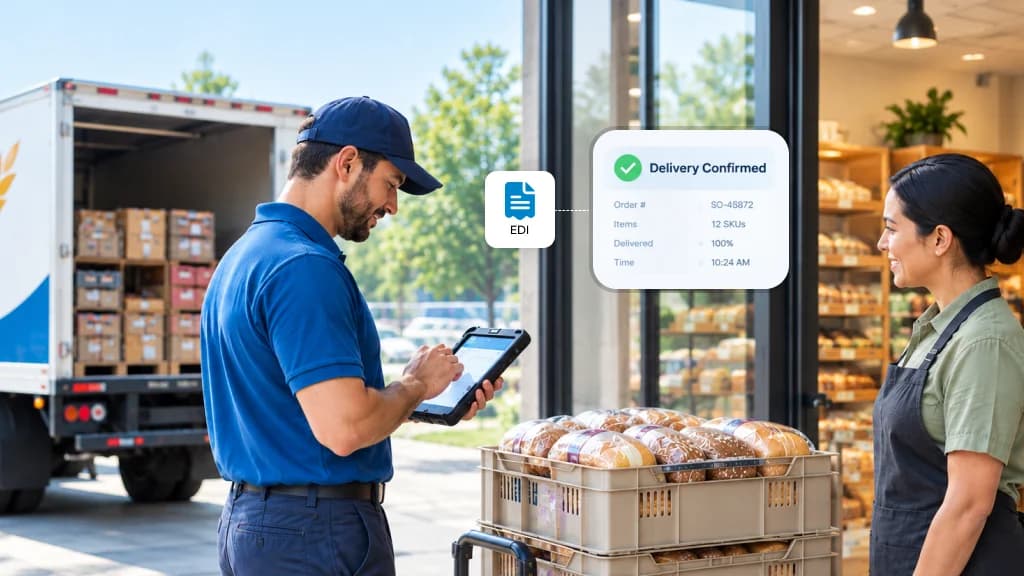
You win a chain account. Then the vendor packet arrives, and one line in it changes how you bill: invoices and delivery records must be sent through EDI, in the retailer's format.
EDI (electronic data interchange) is a standard file that replaces the paper ticket. The retailer's system reads it and pays against it without anyone keying it in. Learn more about EDI integration for retail markets.
Sending the file is the easy part. Keeping it accurate at every stop is where bread and snack distributors lose money.
Where the money slips away
Scenario 1: The bread stop that got short-paid
Your driver drops 48 loaves and pulls 11 stales.
The ticket is handwritten, and your office keys it into the retailer's portal that night.
Somewhere in between, 48 becomes 46.
The retailer pays for 46. Nobody calls to check.
Two loaves is a few dollars. Across a few hundred stops a month, it turns into real money that rarely gets chased.
With mobile invoicing, the transaction can be captured electronically at the stop instead of relying on manual re-entry.
Scenario 2: The snack invoice stuck in a queue
A snack truck carries 100 or more SKUs.
One line has an item code the retailer changed last month.
The retailer holds the invoice until it's corrected.
The chips sold weeks ago. The payment is still waiting.
For snack distributors, keeping item, customer and transaction information accurate at the point of delivery can reduce the manual work involved in correcting retailer transactions.
Scenario 3: The scan-based account you can't check
Some retailer/vendor arrangements use scan-based trading, where payment is tied to recorded retail sales rather than simply the quantity delivered.
The bread stays yours until a shopper buys it.
Anything stolen, damaged or gone stale is your loss.
The retailer sends sales data, but it rarely gets matched against your own deliveries.
You end up paid on their count, with no easy way to question it.
How bMobile handles EDI
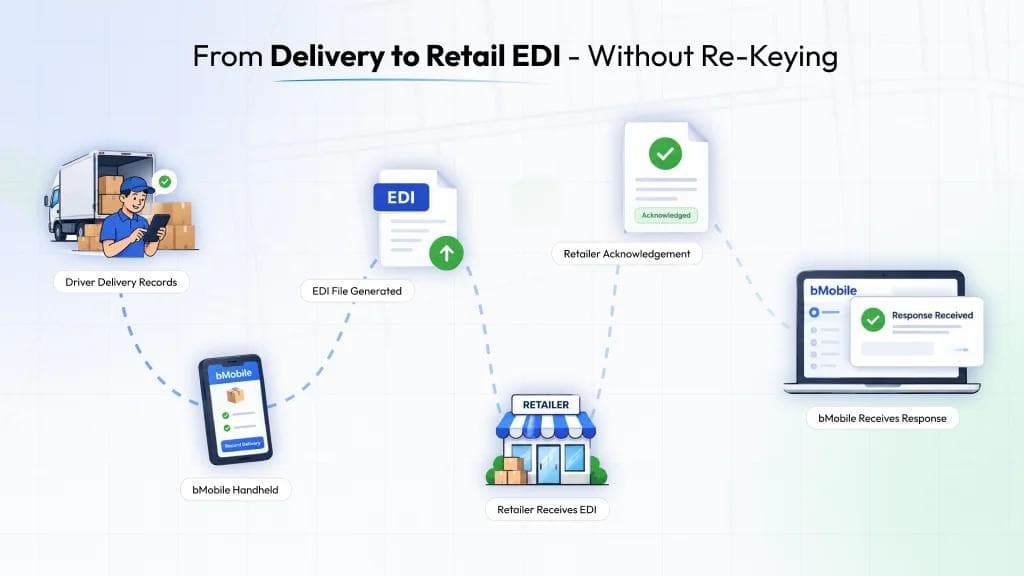
The record your driver creates at the shelf becomes the EDI file. Nobody retypes it.
With bMobile DSD software, the delivery transaction is captured at the stop and used as the source for the retailer transaction.
What happens at a stop
- The driver records the delivery, the stales pulled and any credits on the handheld.
- The store's receiver signs on the device, creating a digital proof of delivery.
- bMobile maps the transaction data to the retailer's required EDI specification and sends the file.
- The retailer's acknowledgment comes back into bMobile.
The documents DSD suppliers deal with most are covered, including invoices, store-level delivery and return records and the acknowledgment the retailer sends back.
Also built in
Retailer-by-retailer setup
Your item numbers, store codes and prices are mapped to each chain's specification.
bMobile has built connections for Walmart, Kroger, Safeway, Whole Foods and 7-Eleven.
DEX at the back door
Where a store receives with DEX integration, the handheld hands the delivery straight to the store's system.
Scan-based sales data
Retailer sales files come back into bMobile, so you can compare delivered, returned and sold, store by store, and use it to set tomorrow's load.
This also gives distributors a clearer view of inventory management across deliveries and retail activity.
Offline mode
No signal in the back room?
The stop saves and syncs once the driver is back in range.
For small family operations and bigger distributors
The family distributor
Say you run seven bread routes and just won a 20-store regional chain.
You don't have an EDI person and don't plan to hire one.
Your office manager can't add three hours of portal entry every night.
With bMobile, the invoice your driver prints and the file the chain receives come from the same record.
For distributors focused on bakery distribution, this connects the delivery workflow with retailer requirements without creating another manual process.
Our team builds the retailer connection with you, one account at a time.
The larger distributor
Now say you run 40 routes into four chains, two of them on scan-based trading.
Each chain has its own rules and file formats.
Acknowledgments and adjustments land every day.
In bMobile you see them in one place, including which retailer keeps short-paying and which routes carry the most disputed credits.
A fifth chain gets added to the system you already run, not a new side process.
The same information can also support your route accounting workflow across routes, customers and transactions.
Before you book a demo
Bring these along and we'll walk one of your real stops through to the exact file your retailer expects:
- The EDI section of a vendor packet from a chain you serve or want to win
- A day's delivery tickets from one route
- A list of the retailers you sell into today
See how a delivery captured by your driver can move through bMobile and into the retailer's required EDI workflow.
Request a Demo