

“Case vs. each” mismatches: wrong picks, short trucks, odd credits.
When units are clear, mistakes drop, cycle counts shrink, and profit improves.
Buy in one unit, stock in another, sell in a third. We convert it for you so counts stay right and orders move fast.
“Case vs. each” mismatches: wrong picks, short trucks, odd credits.

Book vs. shelf gaps: cycle counts balloon and month-end turns manual.

Duplicate SKUs for the same item in different packs: confusion and double counting.

Slower ops: people doing math at the dock, on the picker screen, and on the route sheet.
Multi-UOM tracking is the proven fix. It sets a base unit, links related units with conversions, and lets you choose the default unit for buying, stocking, picking, and selling.
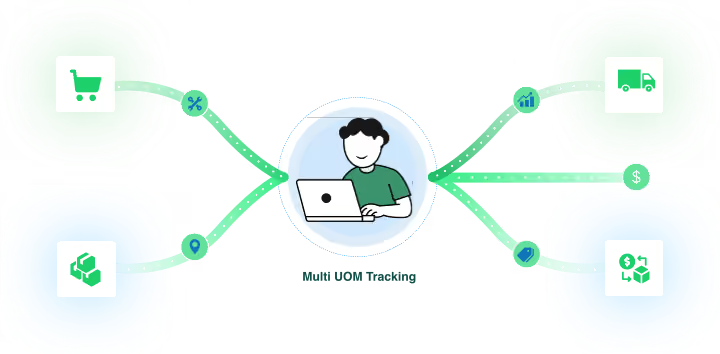
Plain promise: bMobile converts Units of Measure automatically at every step
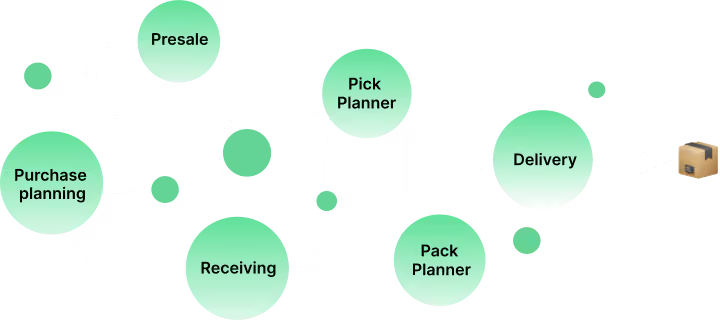

A rep enters Case 24 for soda. If another rep adds 10 each, we keep both lines correct.

Presale becomes a forecasted purchase. We switch to the vendor unit to match their PO pack.

When goods arrive, quantities land in the stock UOM you chose. If you stock by pack 6, we put it on the shelf as packs.

All demand is converted into the pick unit and totaled. The picker sees clean picks with no math.

We switch again into the pack UOM that matches cartons or route totes, so packing is clean.

Drivers see the right unit on the manifest. No last-minute math.
How your vendor ships it

How you count it on the shelf

How customers order it

Item: Sparkling Tea 500 ml

The system didn’t convert order quantities into the correct Units of Measure, so “Pack” and “Each” were treated as different items. The pick list wasn’t unit-aware, so the team picked the wrong amount.

Presale: 3 Packs and 10 Each
The right product leaves the dock, the shelf count matches the book count, and there’s no credit call later.

The right unit appears on the right screen. Errors drop.

Receiving, picking and packing move faster with automatic conversion.

POs match vendor packs. No odd leftovers.

Accounting stock stays close to physical stock.